Keep the warehouse moving with the order.
Receiving, locations, picking and dispatch in one workflow.
Give the team clear work to carry out and records to confirm it. Track items through bins, batches and serials, from arrival to picking, packing and returns.

What should the team pick next?
Check the order, available stock and storage location together. Record what was picked and packed so sales and delivery can see the same progress.
Where should the picker find the stock?
The task connects the order quantity to the recorded location.
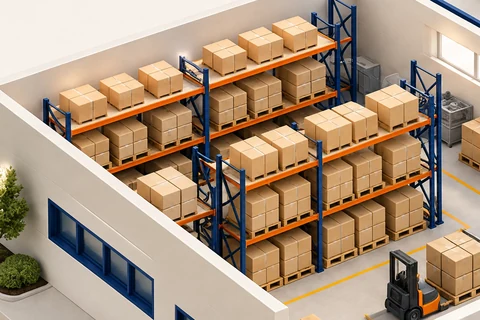
 WarehouseIllustrative records
| Location | On hand | Reserved | Available |
|---|---|---|---|
| Aisle A · Bin 04 | 300 | 100 | 200 |
| Aisle B · Bin 02 | 180 | 60 | 120 |
320 units remain available across the two bins.
Prepare the pick against the order, then confirm the physical quantities and relevant batch or serial records.
- Bin locations and guided put-away — every rack, shelf and pallet space gets a code, and Cobalt ERP tells staff which bin to put stock in (Growth plan and above).
- Pick and pack stations — staff scan each item as they pick and pack, and you can release a batch of orders together with wave picking (Growth and above). Cluster picking lets one person collect several orders in one walk, each into its own tote (Scale plan).
- Scan-to-receive and carton packing — scan deliveries in against the purchase order and record batch, expiry and serial numbers as you go. Pack cartons with weight and size, a suggested box and catch-weight for goods sold by weight (Scale plan).
- Stock counts you can trust — staff count bins without seeing the expected figure, and anything outside your tolerance is approved or recounted. Cycle counts group your products by importance (ABC) for you (Growth and above).
- Quality checks — inspection plans with pass/fail checks, measurements within a set range, notes and certificates of analysis (Scale and above). Review a failed line and the proposed disposition before approving a stock or accounting adjustment.
- Recalls and blocked stock — use expiry dates to choose which batch to pick first and restrict stock that needs review with a hold or quarantine (Growth and above). A hold limits availability; an approved write-off is a separate decision with an accounting effect. Batch and serial recall tracing shows where goods came from and who received them (Scale and above).
On the shelf does not always mean available to sell.
Keep reserved stock and quarantined stock out of the quantity you can promise. When a delivery needs checking, the warehouse and sales team should see the same restriction.
Separate the available quantity
For example, 480 cases on hand less 160 committed and a separate 40-case quality hold leaves 280 available. This assumes the held cases are not also counted in commitments.
Record the inspection
Use inspection plans, measurements, notes and supporting certificates to review the goods. Keep the result with the receipt so a failed check is not lost in an email.
Resolve the hold before fulfilment
Review the affected batch and the proposed release, return or write-off with the authorised person. Do not promise held stock as usable supply before that decision.
Quarantine is included from Growth. Inspection plans and lot/serial recall tracing are included from Scale. These are stock-quality workflows, not a claim that every workplace safety or regulatory process is included. See plan requirements.
Most small warehouses run on memory.
That works until the person who knows where everything is goes on holiday. Bin codes, scanning and regular counts let anyone on the team do the job.
Scanning as staff pick, pack, put away and receive catches the wrong bin or the wrong product in the warehouse, before it reaches a customer.
The setup wizard builds your bins from your rack layout, prints all the bin labels and loads your opening stock from a spreadsheet. You don't need a consultant.
On Scale, accuracy reports show how accurate your stock is, the value of any differences and the hit rate by product group, location and counter. They name your worst products and bins, and show how much each person gets through over 7, 30 and 90 days.
A clear warehouse workflow, connected to your stock accounting.
Two choices that shape how Cobalt ERP works in a warehouse.
The first is warehouse floor mode, a separate screen made for scanners and kept apart from the office screens. It has seven big tiles: Receive, Pick, Cluster pick, Pack, Put away, Count and My tasks. Each tile shows how many jobs are open, with a bar underneath reading “N jobs waiting · N done today”. What each person sees depends on your plan and their permissions. Floor mode needs Growth, and the Receive and Cluster pick tiles need Scale. Warehouse staff never open the office screens, so there are no reports to get lost in and no settings to change by mistake. It runs in a web browser, so there's nothing to install.
The second is the distinction between where stock is stored and how it is valued. Ordinary picking, packing and put-away update bin quantities; those steps are not, by themselves, a sale or a write-off. Receipts, dispatches, production and approved stock adjustments follow their applicable posting rules. Reconcile bin quantities with stock records, then investigate differences before approving a correction.
A hold or quarantine restricts what is available to fulfil an order. It should not be confused with writing off the goods or reducing their value. Review the condition of the stock and the proposed disposition separately. Any approved return, write-off or valuation adjustment must be reflected in the relevant stock records and accounting entries; review those entries before assuming that releasing a hold reverses an earlier accounting decision.
Frequently asked questions.
What is warehouse management software?
Warehouse management software guides the physical work in your warehouse: where to put stock away, which bin to pick from, how to pack it and how to count it. In Cobalt ERP it's part of the same system as your sales orders and purchasing, so the warehouse and the office work from the same numbers.
Is warehouse management software worth it for a small team?
It is once you have racking and more than one person picking. Cobalt ERP is built for teams that size. A setup wizard builds your bins from your rack layout, prints the labels and loads your opening stock from a spreadsheet, so you can be running in days rather than months.
What is the difference between bins and locations?
A location is a whole warehouse or site. A bin is a spot inside it, such as a rack, shelf or pallet space with its own code. Ordinary picking and put-away update bin quantities, while stock valuation follows the relevant transaction and adjustment postings. Bin locations are on the Growth plan and above.
Can Cobalt ERP track batch numbers, serial numbers and expiry dates?
Yes. Batch and expiry tracking, with advice on which batch to use first, is on Growth and above. On Scale you can record batch, expiry and serial numbers as you scan goods in against the purchase order. You can also trace a batch or serial number to see where it came from and who received it, and put all of it on hold in one click.
Do warehouse staff need training to use it?
Very little. Warehouse staff use floor mode, a separate screen of big tiles for receiving, picking, cluster picking, packing, put-away, counting and their own task list, each showing how many jobs are waiting. They never see the office screens, and it runs in a web browser, so there's nothing to install.
Which plan do I need for warehouse features?
Growth adds bin locations with guided put-away, pick and pack stations with scanning, wave picking, bin counts, ABC cycle counts, blocked stock and floor mode itself. Scale adds cluster picking, scan-to-receive, carton packing, quality inspections and holds, recall tracing, replenishment, transfers between warehouses and accuracy reports. Premier adds SSCC pallet labels, with cartons recorded inside each pallet.
Related pages.
Against a full ERP with a warehouse module.
Where the features match, and where the setup cost doesn't.
Give every shelf a code.
Bin locations, guided put-away, scan-checked picking and a warehouse screen your team can learn in one shift.
Book a demo